Roundup
Top 2-Player & Multiplayer Games to Play on One School Chromebook (2026)
Share a single school Chromebook keyboard with a friend during lunch or study hall! From WASD vs Arrow Keys tank duels to 1v1 soccer shootouts, play top 2-player games with zero setup.
October 21, 20267 min readBy BentoTiles
Top 2-Player & Multiplayer Games to Play on One School Chromebook (2026)
There is something timeless and electrifying about sharing a single physical laptop keyboard with a friend to settle a score during lunch break, homeroom, or study hall. Long before complex online matchmaking and voice chat servers took over, local same-screen gaming was the heartbeat of cooperative and competitive play.
On school-managed Chromebooks, local two-player games offer an immense technical advantage: they are completely immune to campus network restrictions. When school WiFi is clogged with hundreds of students streaming video, or when the school firewall blocks peer-to-peer multiplayer sockets, a split-keyboard game continues running at a flawless 60 FPS with zero input lag.
Here is your complete guide to the best 2-player and multiplayer browser games you can jump into instantly on a single Chromebook in 2026.
The Split-Keyboard Setup: WASD vs. Arrow Keys
The classic layout that makes same-keyboard gaming work seamlessly separates the keyboard into two distinct halves:
- Player 1 (Left Side): Uses
W,A,S,Dfor directional movement andSpacebarorFfor action inputs. - Player 2 (Right Side): Uses the
Arrow Keysfor navigation andEnter,Shift, or0on the number pad for primary actions.
This physical separation keeps hands comfortable and prevents fingers from colliding on compact 11.6-inch student laptops.
1. Bento Tank Duel: The Quintessential Breaktime Brawler
If you want immediate action where tactical positioning beats frantic button mashing, Bento Tank Duel is built specifically for shared keyboards.
 👥 2P BATTLE
Bento Tank Duel
Intense 2-player local tank combat on a single keyboard. Ricochet bouncy cannonballs, blast destructible barricades, and grab shields and triple-shot powerups.
Why It Dominates Study Breaks:
- Kinetic Ricochet Combat: Shells bounce off concrete maze walls. If an opponent hides behind a corner, bank your shot off the wall at a 45-degree angle.
- Destructible Barricades: Blast through brown brick walls to create surprise attack routes or escape enemy traps.
- Instant Best-of-Five Rounds: Matches conclude in under two minutes, making it easy to finish a tournament before the bell rings.
2. Penalty Shooters 2: Ultimate 1v1 Soccer Showdown
Nothing fuels classroom rivalry quite like sudden-death soccer penalties. Penalty Shooters 2 delivers intense turn-based tension.
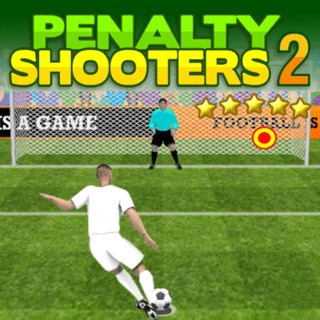 ⚽ 2P SHOOTOUT
Penalty Shooters 2
High-stakes soccer shootout duel. Alternate between striking curve shots into top corners and playing goalkeeper with lightning-fast saves.
Why You’ll Love It:
- Offense & Defense: Take turns striking curled shots into top corners, then switch instantly to goalkeeping to read your opponent's body language.
- Tournament Progression: Select your favorite international or domestic clubs and fight through bracket rounds together.
- Precision Timing: Charging the shot power gauge requires split-second release, rewarding practice over luck.
3. Table Tennis World Tour: Lightning-Fast Ping Pong
For players who prefer rapid reflex duels, Table Tennis World Tour replicates the high-speed volley exchanges of Olympic table tennis.
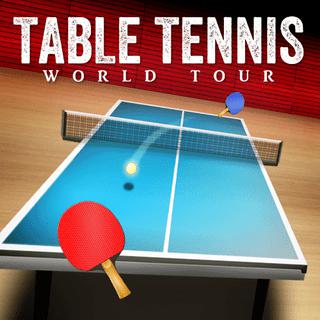 🏓 2P SPORTS
Table Tennis World Tour
High-speed ping pong action. Swipe to deliver deadly topspin, sidespin slices, and lightning smashes across international tournaments.
Key Highlights:
- Authentic Paddle Spin: Swipe to apply topspin drives that dip sharply over the net or slice backspin balls that skid low.
- Dynamic Camera Angles: Smooth 3D perspective shifts follow the ball trajectory without inducing motion blur.
- Trackpad Friendly: Alternating control modes let players trade rallies smoothly.
QUICK JUMP
Curated School Hub
Compete With Friends
Jump directly into our dedicated multiplayer hubs designed for Chromebooks:
4. Speed Billiards: High-Tempo Pool Showdowns
Traditional pool can take 15 minutes, but Speed Billiards injects high-octane pacing into authentic 8-ball physics.
 🎱 FAST POOL
Speed Billiards
Race against the clock in high-tempo pool. Pocket every billiard ball before time expires using swift trick shots and momentum combos.
Why It's Perfect for Chromebooks:
- Momentum Combos: Sinking consecutive balls extends your countdown timer and boosts your score multiplier.
- Realistic Cue Physics: Adjust English (cue ball spin) to set up position for the next pocket.
- Turn-Based Pass-and-Play: Easily pass the laptop back and forth between turns without crowding the keyboard.
Frictionless Online Multiplayer via 6-Digit Room Codes
What if your friend is sitting across the room with their own Chromebook? You don't need to install Discord or create third-party accounts.
BentoTiles features instant 6-digit room codes:
- Player 1 opens any multiplayer title and clicks Create Private Room.
- A clean 6-digit code appears on the screen (e.g.,
482-910). - Player 2 types the code on their Chromebook and clicks Join.
- Both players connect through lightweight WebSockets over secure Port 443, bypassing school firewall filters completely.
Hardware Tips: Avoiding Keyboard Ghosting on School Laptops
Budget school Chromebooks use membrane keyboard matrices that sometimes suffer from keyboard ghosting—where pressing three or more keys simultaneously fails to register:
- Why WASD + Arrows Avoids Ghosting: Chromebook motherboards wire the left-hand key cluster (
WASD) and the right-hand cursor cluster (Arrow Keys) on separate electrical traces. This allows both players to press movement keys simultaneously without dropped inputs. - Adjust Display Tilt: School Chromebooks typically use TN panel screens with narrow vertical viewing angles. Tilt the screen backward roughly 110 degrees so both players see accurate colors and contrast from either side.
- Quick Fullscreen: Press the Chromebook top-row fullscreen key (
F11) to maximize screen estate and hide distractions.
BROWSE CATALOG
Explore by Category
100% Free • No Downloads
Looking for a specific genre? Jump straight into our top-rated game hubs engineered for Chromebooks and desktop web browsers:
Grab a Friend and Play Today
Whether you're huddled over one keyboard playing tank duels or trading penalty kicks across the study hall, browser gaming brings people together. Explore our 2-Player category or check out Online Multiplayer for endless instant rivalry!